Products

Customisable Laptop Stands Give Workplace Suppliers Another Way to Add Value

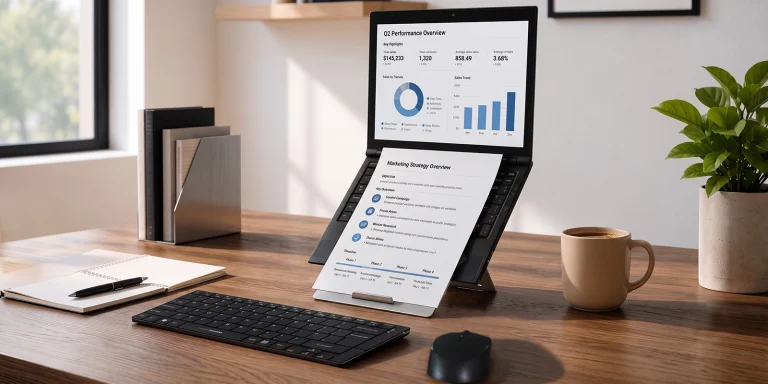
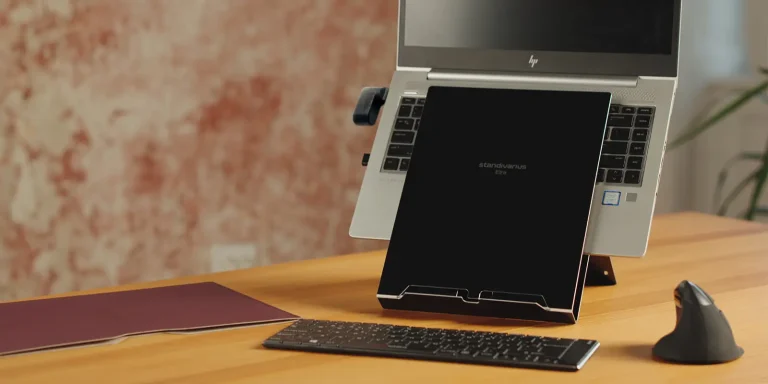
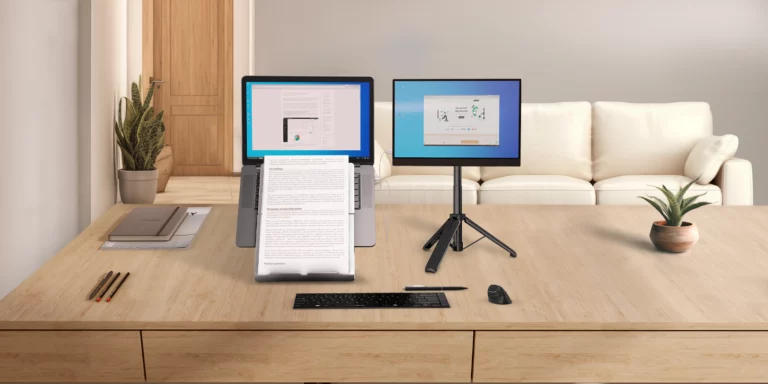
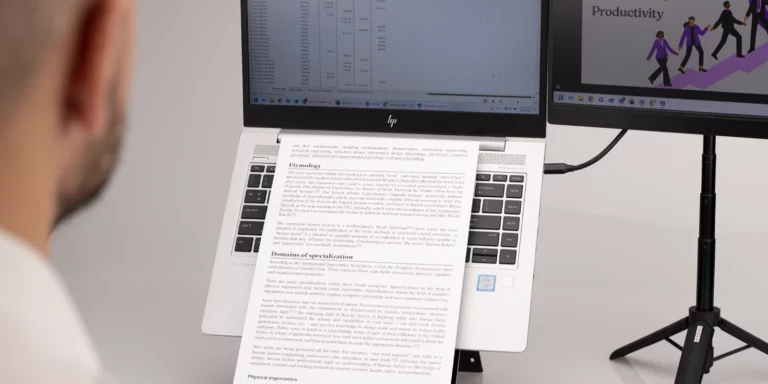
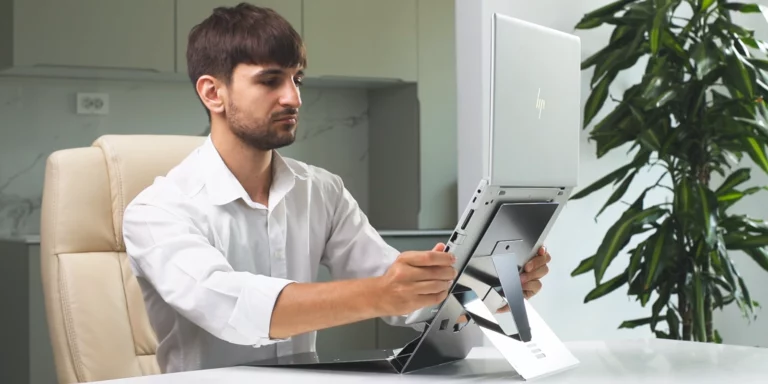
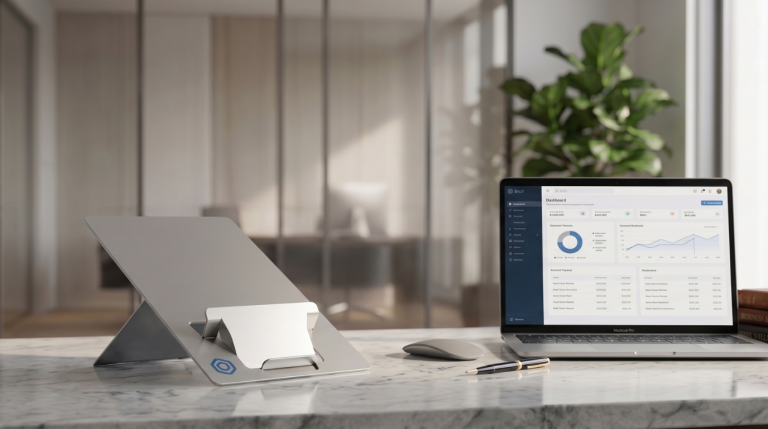
Standivarius offers customisable laptop stands that give organisations and channel partners another way to add branding, value and flexibility to workplace equipment projects. [United Kingdom, September 2026] – Standard workplace equipment does not always have to look standard. With customisable laptop stands, organisations can add their own branding to an ergonomic workplace product, while dealers and distributors can offer an additional service to customers looking for a more tailored solution. Standivarius provides customisation options across selected laptop stands, allowing organisations to add their branding and, depending on the project, discuss other requirements such as colour, packaging and configuration. For organisations equipping employees across a workplace or rolling out equipment to a consistent laptop fleet, this provides an opportunity to make an everyday workplace accessory part of a more consistent corporate identity. A new service for dealers and distributors   For channel partners, customisation can be more than a product option. It can become an additional service that helps them stand out from other suppliers. Rather than supplying a standard laptop stand, dealers can offer a branded solution as part of a wider IT, workplace or ergonomic equipment package. This gives them another way to respond to customer requirements without having to develop or source a completely new product themselves. It can also be useful when responding to private or public-sector tenders, where a dealer may want to offer additional value or tailor part of the proposed equipment to the customer’s requirements. The customisation service can therefore help channel partners move beyond simply supplying products and provide a more complete customer solution. Opportunities beyond standard workplace supply   Customisable laptop stands can also support projects where branding and presentation are important, including GNFR (Goods Not For Resale), merchandising, employee programmes, corporate initiatives and branded equipment projects. For GNFR and merchandising teams, a branded ergonomic laptop stand can become a useful workplace item that supports the organisation’s identity while serving a practical purpose. For employee programmes and larger workplace rollouts, customisation can also help create a consistent look across equipment provided to different teams or locations. Keeping the product practical While the presentation can be tailored, the purpose of the product remains the same: providing a practical ergonomic solution for laptop users. Depending on the project and order quantity, organisations and channel partners can discuss options including customer branding and other requirements directly with Standivarius. The result is a laptop stand that can be made to look and work as needed, carry the customer’s brand and fit the requirements of the project. Organisations, dealers and distributors interested in customisable laptop stands can contact Standivarius to discuss their requirements and available options. For more information: Standivarius Customisable Laptop Stands About Standivarius Standivarius develops ergonomic solutions for modern, mobile and hybrid work environments, including laptop stands, keyboards, mice, document holders and portable workstation solutions. Its products combine ergonomic principles with portability, usability and durable design.   Media Contact  Shane Bajar Marketing Executive  shane.bajar@standivarius.com www.standivarius.com 
Read More »

Your Body Called a Meeting: Here’s What It Wants to Change

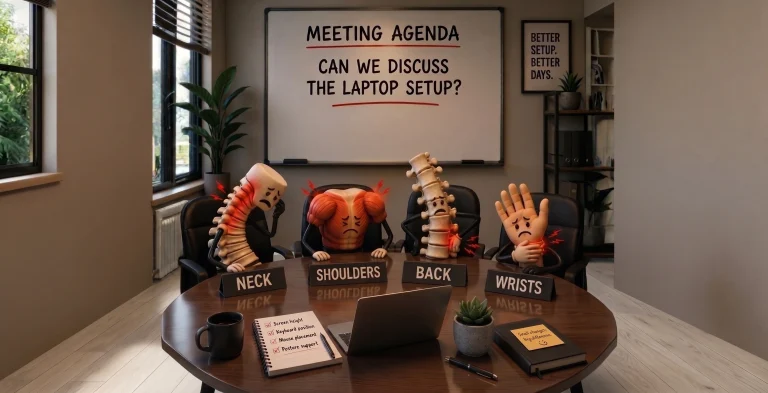
Your neck has a complaint. Your shoulders have something to say. Your back has been waiting for its turn, and your wrist is definitely not happy with that mouse. So, we called a meeting. Not between colleagues, but between the different parts of your body that deal with your workstation every day. Each one has a different complaint about the way you work. And each complaint points to a simple question: could your workstation ergonomics be working better for you? In our Meeting Series, we gave your neck, shoulders, back and wrist a chance to speak up — and explored practical ergonomic solutions that can help address each concern. The Neck Has Something to Say   Let’s start at the top. When you work directly from a laptop, the screen is often positioned well below eye level. Over time, you may find yourself looking down towards the screen rather than keeping your head in a more comfortable position. For your neck, that’s a lot of time spent looking down. The Solution: Bring the Screen and Reference Materials Up   One way to address this is by introducing an ergonomic laptop stand and document holder. Raising the screen brings it closer to eye level, while keeping reference materials within the natural viewing zone. This can help create a more organised visual workspace, particularly when working between a laptop and physical documents. The Oryx evo D, for example, combines a laptop stand with an integrated document holder, allowing both the screen and reference material to be positioned higher and closer to your natural line of sight. This is one simple example of how workstation ergonomics can start with changing the position of the screen rather than changing the way you hold your body. The Shoulders Are Joining the Conversation   The neck isn’t the only one with a complaint. When your laptop, keyboard and mouse are not positioned well, your shoulders can end up doing more work than they should. Reaching forward, working with raised shoulders or keeping your arms in an awkward position can all make a workstation feel uncomfortable. And the longer you stay there, the easier it is to stop noticing The Solution: Don’t Forget About Arm Support   Many workstation improvements focus on screens, keyboards and mice. But one area is often overlooked: arm support. Where and how your arms are supported can influence how your shoulders and upper body are positioned while working. Creating a workstation where the arms can rest comfortably, rather than constantly reaching or holding themselves up, can be an important part of a more complete ergonomic setup. This is where accessories such as ergonomic arm support can complement adjustments to your screen and input devices, helping create a workstation that supports more of the body — not just the parts directly interacting with the technology. Good workstation ergonomics isn’t only about where your screen sits. It’s also about considering what your arms and shoulders are doing while you work. The Back Has Had Enough   Now it’s the back’s turn. A laptop setup can encourage you to lean forward towards the screen, particularly when the display is low or difficult to see clearly. And when you’re focused on work, it’s easy to remain in the same position for much longer than you realise. Your back may have been quietly putting up with it all day. The Solution: Build a Complete Ergonomic Setup   Addressing back comfort often means looking at the workstation as a whole rather than focusing on one piece of equipment. A raised screen, combined with a separate keyboard and mouse, gives you greater flexibility to position each element independently. Instead of having to bring your body towards a low laptop screen, the workstation can be arranged around a more suitable working position. A complete ergonomic setup can therefore bring together a laptop stand, external keyboard and mouse to create greater flexibility between the screen, hands and body. This is where workstation ergonomics becomes less about one product and more about how the different parts of your setup work together. The Wrist Wants to Be Heard   Last on the agenda: your wrist. A mouse may look like a small part of your workstation, but it’s something you can use repeatedly throughout the working day. With a conventional mouse, your hand may rest in a position that rotates the forearm and places the wrist at an angle that isn’t comfortable for everyone. You might not notice it immediately. Your wrist probably does. The Solution: A More Natural Hand Position One way to change this is by using a vertical ergonomic mouse. Unlike a conventional mouse, its vertical design allows the hand and wrist to adopt a more natural position, reducing the degree to which the hand needs to rotate while using the mouse. The AVE /’a:vei/ wireless ergonomic mouse is designed around this principle, offering an alternative hand position for people who spend a significant part of their working day using a mouse. It’s another example of how workstation ergonomics can involve small, targeted changes to the way you interact with your equipment.   What Did We Learn From the Meeting? Each body part had its own complaint — from screen height and arm support to workstation setup and mouse position. But they all agreed on one thing: your workstation can influence how your body works throughout the day. Workstation ergonomics doesn’t mean changing everything at once. Small, targeted adjustments — raising your screen, supporting your arms, separating your keyboard and mouse, or using a more natural mouse position — can make a difference.   Listen to Your Body. Adjust Your Setup. Your body knows what needs changing. Sometimes, you just need to listen. Meeting adjourned. Find the Right Ergonomic Tools for the Way You Work Explore the Standivarius workplace solutions range and discover solutions designed for portability, durability and better ergonomics. Explore Our Ergonomic Products → Stay Connected Follow Standivarius for ergonomic tips, workspace inspiration, product updates and the

Read More »
A complete workstation setup with Oryx evo D laptop stand.

What Makes a Great Laptop Stand?

There are plenty of laptop stands available today, but not all are designed the same. While raising your laptop screen is important, a truly great laptop stand should do much more than improve viewing height. It should be easy to carry, dependable enough for everyday use, and thoughtfully designed to fit seamlessly into the way people work today. At Standivarius, these principles guide the design of every laptop stand we create. While each model is developed for different users and workstyles, they all share the same philosophy: portability, durability, thoughtful design, ergonomics, and sustainability. Throughout this article, we’ll use our best-selling Oryx evo D to illustrate these principles. Designed to Go Anywhere   A laptop stand is only useful if it’s with you when you need it. That’s why portability is at the heart of every Standivarius laptop stand. By keeping our designs ultra-thin and lightweight, they’re easy to slip into a laptop bag without adding unnecessary bulk. Whether you’re commuting to the office, working from home or travelling between meetings, carrying an ergonomic setup should feel effortless. The Oryx evo D is a great example of this philosophy, proving that ergonomic products don’t need to be bulky to make a difference. Built for Everyday Reliability   Lightweight should never mean fragile. Every Standivarius laptop stand is engineered to provide dependable support while remaining easy to carry. The Oryx evo D weighs just 230g yet supports laptops up to 4kg, demonstrating that strength comes from intelligent engineering rather than unnecessary weight. Whether you’re working from your desk, a meeting room or a café, your laptop stand should inspire confidence every day. Thoughtfully Crafted in Every Detail   Great design isn’t created in a single moment—it is refined through countless small decisions. Every curve. Every edge. Every hinge. Every finish. From the precision-machined aluminium body to the refined hinge mechanism and integrated document holder, every detail has been designed with purpose. Because exceptional products aren’t built by adding more—they’re perfected by refining every detail. Designed Around Better Ergonomics   A great laptop stand isn’t just about portability or aesthetics—it should also help create a healthier way to work. Raising the laptop screen encourages a more comfortable viewing height. When paired with an external keyboard and mouse, it supports a more neutral posture for the neck, shoulders and upper back. Every Standivarius laptop stand is designed to help professionals work more comfortably wherever work takes them. Built to Last, Designed Responsibly   A great laptop stand isn’t just designed for today—it should be built to last for years to come. Standivarius laptop stands are manufactured using durable Hylite aluminium and are backed by a lifetime warranty, giving you confidence that your investment is made for everyday use. We also support a more responsible approach to manufacturing through our carbon offsetting initiatives, helping reduce the environmental impact of our operations. For us, sustainability isn’t a feature—it’s part of creating products that people can rely on for years. Product Setup Video How to Ergonomically Use Oryx evo D Find the Right Laptop Stand for the Way You Work Explore the Standivarius laptop stand range and discover solutions designed for portability, durability and better ergonomics. Explore Our Laptop Stands → Stay Connected Follow Standivarius for ergonomic tips, workspace inspiration, product updates and the latest innovations in portable workplace ergonomics. Follow us on LinkedIn Follow us on Facebook

Read More »

Standivarius Highlights Specialised Range: Tailored Ergonomic Solutions for Distinct Market Demands

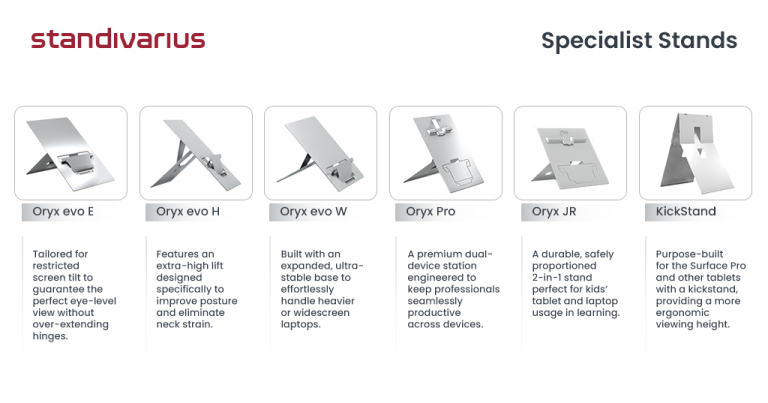
[United Kingdom, June 2026] – Standivarius, a leader in mobile ergonomic workspace solutions, is bringing renewed focus to its Specialised Range of laptop and tablet stands. Moving away from the generic, one-size-fits-all approach common in the market, the company highlights its design expertise by addressing highly specific user demographics, body types, and hardware configurations.  Rather than offering generalised equipment, Standivarius targeted solutions for distinct market segments that standard workplace setups often overlook.  Precision Engineering for Targeted Needs  True workspace comfort requires a deep understanding of varying user demands. The Standivarius Specialised Range delivers exact physical alignment and structural stability for unique hardware and specific user groups.  Reflecting a commitment to sustainable, functional design, every stand in this collection includes an innovative protective sleeve crafted from recycled leather. When the stand is deployed, this sleeve unfolds flat to serve as a high-tracking mobile mouse pad, minimising weight and clutter for the mobile professional.  The Standivarius Specialised Lineup:  ✔ KickStand for Surface Pro – Seamlessly integrates with the unique mechanics of the Microsoft Surface Pro, achieving true eye-level height without obstructing the device’s native stand.  🔗 KickStand Product Page  ✔ Oryx Evo E for MacBook – Engineered specifically for laptops with a limited screen-opening angle, such as MacBooks, ensuring optimal ergonomic height without restricting display visibility. 🔗 Oryx Evo E Product Page  ✔ Oryx Evo H for Tall People – Built with an extended vertical range to ensure taller individuals can achieve an ergonomically sound posture.  🔗 Oryx Evo H Product Page  ✔ Oryx Evo W for Oversized Laptops – Engineered with a widened footprint and reinforced stability to securely support heavy mobile workstations.  🔗 Oryx Evo W Product Page  ✔ Oryx Pro for Tablet & Laptop – A versatile 2-in-1 hybrid solution optimising workflows that switch between high-angle laptop viewing and low-angle tablet drafting.  🔗 Oryx Pro Product Page  ✔ Oryx Jr for Children – Proportionally scaled for users under 14 to encourage healthy spinal alignment and correct posture habits during learning and critical developmental years.  🔗 Oryx Jr Product Page     A Strategic Addition to Commercial Portfolios  For corporate ergonomists, distributors, and office procurement managers, these specialised tools solve complex client briefs. By incorporating the Standivarius Specialised Range into an existing commercial portfolio, partners can easily address specific hardware and demographic challenges that standard catalogues miss, adding a practical, problem-solving vertical to their corporate sales.    Availability & Partner Programmes  The Specialised Stand range is fully available for procurement and portfolio integration. Distributors, workplace procurement managers, and ergonomic specialists are invited to try a sample or partner with Standivarius to introduce these high-value solutions to their dealer network. For more details, visit:  🔗 https://www.standivarius.com/partners/distribution/    About Standivarius  Standivarius specialises in innovative ergonomic solutions designed to enhance productivity and well-being in dynamic workspaces. From precision-engineered mobile stands to advanced multi-screen hardware, the company delivers minimalist, durable, and highly portable products. Trusted by corporate accounts and workplace health professionals across Europe, Standivarius continuously redefines the relationship between mobile efficiency and physical health.    Media Contact  Shane Bajar  Marketing Executive  shane.bajar@standivarius.com  Standivarius | www.standivarius.com   

Read More »
A smiling professional unboxing a Standivarius ETRA laptop stand as one of the best ergonomic gifts for work this holiday season.

Save the Mugs and Chocolate Boxes for Next Year — Try These Ergonomic Gifts for Work

December gifting carries a certain charm — thoughtful gestures, shared appreciation, and small touches that brighten the end of the year. Mugs and chocolate boxes will always be welcome, but many people are now searching for ergonomic gifts for work that offer something more lasting. Better posture, clearer focus, comfort throughout the day — these are gifts that quietly improve someone’s routine long after the holidays end. Below are five meaningful ideas that make work feel lighter, healthier, and more productive. 1. A Gift of Portability Work happens everywhere now — offices, cafés, trains, meeting rooms, and airport lounges. Portable ergonomic tools help people build a comfortable setup wherever they go. A lightweight laptop stand or a compact travel keyboard, like the Oryx Evo D or Solo X, can slip into any bag and turn unpredictable spaces into functional workstations. For hybrid professionals, portable tools are some of the most practical ergonomic gifts for work, supporting comfort without adding weight or complexity. 2. A Gift of Better Posture Healthy posture transforms the way people feel at the end of a long day. Simple tools — a laptop stand that elevates the screen or a document holder that centralises reading materials — can create natural alignment without effort. Options such as ETRA or the Libro series encourage more upright, relaxed positioning that supports long-term wellbeing. Posture-focused items remain among the most valuable ergonomic gifts for work, especially for anyone spending hours at a desk. 3. A Gift of Real Productivity A smoother workflow is a gift that pays off every single day. More screen space, better viewing angles, and fewer tab switches all contribute to deeper focus and faster thinking. A portable multi-screen solution like the Doxa Pro 3 or a stable monitor stand such as X-Stand can help professionals work with greater clarity. These small upgrades create powerful ergonomic gifts for work, improving efficiency without adding complexity. 4. A Gift of Everyday Comfort Comfort isn’t decorative — it’s essential for sustainable work. Ergonomic mice and keyboards reduce strain on the hands and wrists, while angled stands help avoid neck and shoulder fatigue. Even subtle design improvements, like the sculpted form of the Hi! Mouse or the responsive feel of the Piano II BT, can make long hours noticeably easier. Useful, aesthetic, and supportive, comfort-focused tools are thoughtful ergonomic gifts for work that improve everyday wellbeing. 5. A Gift of Desk Clarity (and Mental Clarity) A tidy desk creates room to think. Tools that raise devices, organise documents, or free up physical space help create a workspace that feels intentional rather than cluttered. Minimalist solutions like Stand-Art or the UNO device riser bring order without overwhelming the desk. These simple, elegant upgrades make excellent ergonomic gifts for work, helping people start the new year with a clearer workspace — and a clearer mind. Closing Reflection The most meaningful gifts don’t just brighten a moment — they improve the moments that follow. Whether it’s posture, productivity, comfort, clarity, or the freedom to work anywhere, ergonomic tools offer everyday support that lasts long beyond December. This season, consider giving ergonomic gifts for work that genuinely make a difference. Ready to give something truly meaningful? Find Ergonomic Tools Here

Read More »
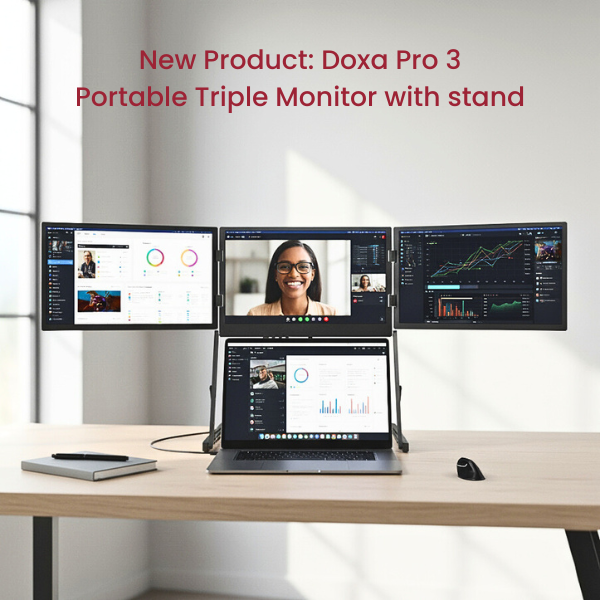
Portable triple monitor setup with Doxa Pro 3 in a modern home office workspace.

Too Many Tabs, Not Enough Screens?

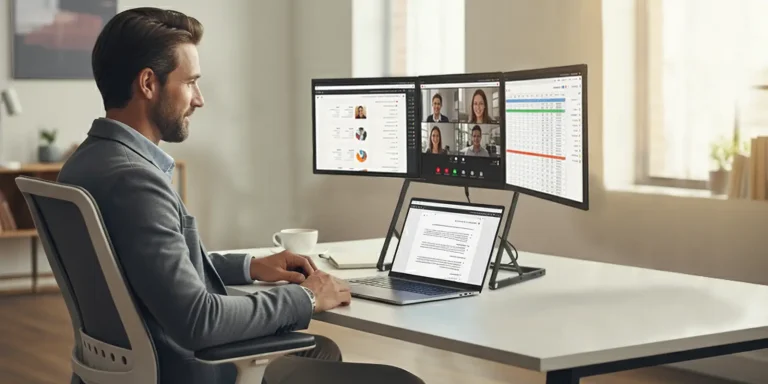
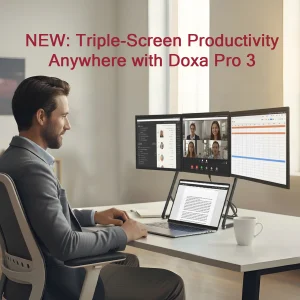
In today’s fast-paced work environment, the struggle often begins with one simple problem: not enough screens. Emails, presentations, video calls, and research all compete for space on a single laptop, making it harder to stay organised and productive. The Doxa Pro 3 Portable Triple Monitor solves this challenge by transforming any laptop into a full three-screen workstation — portable, ergonomic, and ready anywhere. Why More Screens Matter Working from one laptop screen can be limiting, especially when multiple tasks demand attention. With the Doxa Pro 3 Portable Triple Monitor, a laptop is instantly expanded with additional three Full HD displays, eliminating the need to constantly switch between tabs or windows. For students, this means note-taking, online classes, and reference materials can be viewed at the same time. For professionals, presentations, video calls, and reports can be managed side by side without compromise. Designed for Portability Despite its triple-screen setup, the Doxa Pro 3 remains lightweight and foldable, slipping easily into a standard laptop bag. Setup is simple with dedicated software, ensuring a smooth start without complicated configuration. Wherever work takes place—office, home, or on the go—this portable triple monitor is always ready. Ergonomic Comfort Built In The Doxa Pro 3 Portable Triple Monitor goes beyond extra screen space. Its adjustable design allows users to raise displays up to three levels to eye height, supporting proper ergonomic posture. Tilt adjustments reduce glare, while the crisp Full HD resolution helps minimise eye strain. With built-in speakers and a stabilising kickstand, it is a complete solution that combines productivity with comfort. Key Benefits at a Glance Triple-screen productivity – expand a laptop into a three-screen workstation in seconds Made for mobility – folds flat for hybrid and on-the-go work Clearer, healthier viewing – Full HD screens with ergonomic adjustability Easy setup – quick software installation, no complicated configuration Built-in speakers – for clear audio in calls, meetings, and media playback Solving the “Not Enough Screens” Problem Whether in the office, at home, or working remotely, the Doxa Pro 3 Portable Triple Monitor addresses the universal issue of limited screen space. It is a portable, ergonomic workstation that enables organisation, focus, and higher productivity—without being tied to a desk. Learn more about the Doxa Pro 3 at standivarius.com. From ergonomic stands to multi-screen solutions, Standivarius continues to expand the way we support healthier, more productive working.

Read More »
Ergo Kit Black complete setup

Discover the Right Fit: Introducing the New Ergo Kits by Standivarius

Whether you’re working from home, in the office, or constantly on the move, the way your workspace is set up can make a big difference to your comfort and productivity. At Standivarius, we believe that good work starts with good posture, and that starts with the right tools. That’s why we’ve expanded our Ergo Kit range, in addition to our Ergo Kit Wireless and Wired, introducing three new kits designed to meet the needs of today’s flexible, mobile workforce: Ergo Kit Black, Ergo Kit Plus, and Ergo Kit Surface Pro. Each one offers a complete ergonomic workstation setup in a compact, lightweight form. No guesswork, no complicated assembly, just everything you need to work comfortably and efficiently, wherever you are.   What’s in an Ergo Kit?   An Ergo Kit is more than just a bundle of accessories. It’s a curated setup of ergonomic essentials that help you maintain better posture, reduce strain, and boost your focus throughout the day. Every kit includes a laptop or tablet stand, a compact and comfortable keyboard, an ergonomic mouse, and USB Hub. It’s a complete ergonomic workstation setup built for today’s hybrid and mobile professionals. Let’s take a look at what’s new.   Ergo Kit Black: Where Aesthetics Meet Ergonomics   For those who want their workspace to look as sleek as it feels, the Ergo Kit Black is the one to watch. With its all-black, premium finish, this kit blends style and function in perfect harmony. Inside, you’ll find the ETRA laptop stand with a pivotable document holder, the Solo X wireless rechargeable keyboard, the AVE /’a:vei/ ergonomic mouse, and a handy USB hub, all in matching black. It’s a minimalist’s dream and a solid productivity upgrade for professionals who care about visual impact and a complete ergonomic workstation setup.   Ergo Kit Plus: Designed for Laptops and Tablets   More people are switching between laptops and tablets during the day, and the Ergo Kit Plus was built for that kind of workflow. It includes the Oryx Pro stand, which supports both device types, along with the Solo X wireless rechargeable keyboard, AVE /’a:vei/ ergonomic mouse, and a USB hub. All these are slim, lightweight, and compact enough to fit in your laptop bag. This kit is ideal for mobile teams, hybrid workers, and consultants who need a complete ergonomic workstation setup that adapts to different devices. Ergo Kit Surface Pro: Built for the Surface Pro Generation   If you’re using a Surface Pro (version 3–11), the Ergo Kit Surface Pro is a must-have. It’s built around two Standivarius essentials: The KickStand — an ultra-thin stand that lifts your Surface screen to the right height. The Freedom Keyboard — a full-size, detachable keyboard that upgrades your typing experience. Together, they turn your Surface Pro into a more comfortable, laptop-style setup without adding bulk. This kit folds flat, travels light, and delivers a complete ergonomic workstation setup for tablet-first professionals.   Why Ergo Kits Matter More Than Ever   With more people working remotely or on flexible schedules, there has been a growing need for portable ergonomic tools. But for many, figuring out which accessories to buy and whether they’ll work well together can be overwhelming. That’s where Ergo Kits come in. Each one is assembled by the Standivarius team with ergonomic performance, ease of use, and mobility in mind. No unnecessary extras. No mismatched components.  Just the right tools for a complete ergonomic workstation setup, right out of the box. When it comes to long-term comfort and productivity, your setup matters. A good ergonomic foundation helps prevent common issues like back pain, neck strain, and eye fatigue, and can make working feel just a little more enjoyable. With the updated Ergo Kit lineup, Standivarius makes it easier to choose a complete ergonomic workstation setup that suits your style, your tools, and your workday. Ready to upgrade your workspace? Explore all five kits today at standivarius.com or through select ergonomic dealers.

Read More »
A clean, clutter-free workspace featuring ergonomic tools such as Standivarius Oryx evo D laptop stand and X-Stand for portable monitor, designed for comfort and productivity.

Workspace Reset: Decluttering Tips for Hybrid and Remote Workers

For remote and hybrid workers, maintaining an organised and efficient desk setup plays a key role in productivity and focus. Many home offices operate with compact desks or shared spaces, making it even more important to create an intentional, clutter-free environment. Spring is the perfect time to reassess whether your workspace supports your work style. A thoughtfully arranged and ergonomic setup can help reduce stress, improve efficiency, and keep distractions to a minimum. Decluttering alone isn’t always enough—maximising space and choosing the right ergonomic tools can make all the difference. These workspace decluttering tips will help you create a more functional and comfortable setup, even in a small space.   Step 1: Clear Out the Unnecessary   A cluttered desk can make work feel chaotic. Start by removing everything from your workspace—papers, accessories, gadgets—and reassess each item: Ask yourself: Do I use this daily or weekly? Does it contribute to my productivity? Digitise where possible—scan documents instead of keeping piles of paper. Reduce cable clutter by using wireless or minimal wired solutions. Remove oversized or redundant items that take up unnecessary space. Decluttering isn’t just about aesthetics—it’s about creating space for what truly supports your workflow. Following these workspace decluttering tips ensures that every item on your desk serves a purpose.   Step 2: Keep Only What Adds Value   Once you’ve cleared out the unnecessary, focus on what truly enhances your work: Compact tech – A slim laptop stand, portable keyboard, and ergonomic mouse help save space without sacrificing comfort. Essential daily-use items – Notebook, planner, or tools you frequently reach for. Multi-functional accessories – A monitor stand with built-in storage or a laptop stand that doubles as a document holder. Minimal personal touches – A plant or a small motivational quote to maintain inspiration without cluttering your workspace. By keeping only the essentials, you’re not just organising—you’re optimising your setup for better focus and productivity. These workspace decluttering tips help ensure your desk remains functional without unnecessary distractions.   Step 3: Enhance Productivity with Ergonomic Tools   A well-organised desk is great, but if it’s not ergonomic, it can still cause strain and discomfort. Consider space-efficient ergonomic upgrades: Raise your screen to eye level – A laptop stand with a document holder helps maintain better posture and prevents neck strain by aligning your screen and documents at a comfortable height. Use an external keyboard and mouse – A compact, wireless keyboard allows for a more natural typing position, reducing strain on your wrists and shoulders. Pair it with an ergonomic mouse that supports a relaxed hand posture to minimise wrist fatigue. Prioritise proper seating – If a new chair isn’t an option, an ergonomic seat cushion can improve posture and reduce discomfort during long hours. For example, tools like the Oryx evo D ergonomic laptop stand, Solo X wireless keyboard, and AVE /’a:vei/ ergonomic mouse provide flexibility and comfort, making it easier to maintain a healthy workspace setup whether you’re working from home or the office. Adding ergonomic tools is a natural extension of your workspace decluttering tips, ensuring that your desk isn’t just tidy but also optimised for long-term comfort.   Step 4: Optimise for a Hybrid or Mobile Setup   If, after decluttering, you realise your workspace still doesn’t feel right, consider a mobile ergonomic setup that adapts to your needs: Lightweight ergonomic tools – A foldable laptop stand, compact keyboard, and wireless mouse allow you to maintain comfort wherever you work. A minimal desk setup – Keep only the essentials so you can easily transition between home and office without disrupting productivity. Flexible solutions – If your workspace setup is limiting, investing in portable ergonomic solutions can give you the freedom to work comfortably anywhere.   A Fresh Start for a Better Workday   For many hybrid and remote workers, a well-structured workspace is essential for maintaining focus and productivity. Spring cleaning your workspace isn’t just about tidiness—it’s about creating a setup that supports your workflow and helps you work efficiently.   And if you find that your workspace still isn’t working for you, it might be time to rethink your setup entirely. A mobile ergonomic workspace can provide flexibility and comfort, ensuring you work efficiently whether at home or in the office.   Are you ready for a workspace reset? Take this opportunity to refresh your setup with these workspace decluttering tips and create a work environment that truly works for you!

Read More »
A professional using a dual monitor setup with a portable monitor on the X-Stand, enhancing productivity.

Single vs. Dual Monitors: Is the Upgrade Worth It?

In today’s hybrid and mobile work environment, professionals need a versatile, ergonomic setup that enhances productivity without compromising portability. While dual monitor setups are often associated with fixed office desks, mobile workers and hybrid professionals can also benefit from a dual-screen workflow on the go. But is upgrading to a dual portable monitor setup truly worth it? Let’s explore the pros and cons of single vs. dual monitors for mobile professionals and how the right ergonomic tools—like the X-Stand—can make a difference. The Case for a Single Monitor A single laptop screen is often the default choice for mobile workers. Here’s why some professionals stick to it: ✔ Fewer Distractions: A single screen naturally limits multitasking, helping maintain focus. ✔ Simplified Setup: No extra cables, stands, or connectivity concerns. ✔ Battery-Friendly: Running one screen conserves laptop power, extending battery life. When a Single Monitor Works Best: Quick work sessions in cafés, coworking spaces, or during travel, where carrying extra equipment isn’t convenient. Tasks that don’t require constant reference to multiple documents or applications, such as writing, email management, or browsing Consumes less power than a dual-screen setup and works well in tight spaces like small desks or airplane tray tables. The Benefits of a Dual Monitor Setup (On the Go) A dual monitor setup isn’t just for static office desks. With the right portable gear, it can enhance efficiency for mobile and hybrid professionals: ✔ Increased Productivity: Studies show that a second screen can boost productivity by 42%—ideal for multitasking, research, and cross-referencing.✔ Better Workflow Management: Keep email or communication apps on one screen while focusing on primary tasks on the other.✔ Enhanced Ergonomics: Reduces the need to switch between tabs, helping prevent eye strain and neck discomfort.✔ Seamless Hybrid Work: Whether at home, in a shared office, or traveling, a portable dual-screen setup provides consistency. Best Use Cases for a Portable Dual Monitor Setup: Hybrid workers who move between home and office. Digital professionals (designers, analysts, marketers) who need extra screen space. IT & remote support teams managing multiple dashboards or troubleshooting. How to Build a Portable Dual Monitor Setup For a successful dual-screen mobile office, you need a lightweight, ergonomic stand to support your second screen. The X-Stand is designed for professionals who need a compact, ergonomic, and foldable solution for their laptop + second screen setup. 🔹 Adjustable for the Perfect Viewing Angle – Prevents back and neck strain.🔹 Supports Tablets & Portable Monitors – Ideal for a lightweight (max. weight of 1.5 kg) second screen.🔹 Ultra-Compact & Foldable – Easily fits into any laptop bag. With the X-Stand, you can enjoy the benefits of dual monitors without sacrificing portability. Final Verdict: Is the Upgrade Worth It? If you need better productivity and a seamless hybrid setup, a portable dual-screen solution is a game changer. A lightweight, ergonomic second-screen solution—like the X-Stand—ensures comfort and efficiency anywhere you work. Would you make the switch to dual monitors for mobile work?

Read More »
January 2025 Blog

A Closer Look at Standivarius Products: Setup and Context Videos

At Standivarius, we take pride in creating ergonomic solutions that combine functionality with thoughtful design. To give you a closer look at our products, we’ve crafted a series of videos showcasing their features, setup, and the unique ways they can enhance your workspace. Currently, these videos are available for the following products, and we are actively working on creating more to support and provide value to our clients: ETRA: Premium Laptop Stand Concept Video: Explore the sleek design and versatile functionality of the ETRA premium laptop stand. The video highlights how ETRA’s adjustable features support productivity and comfort, making it an excellent choice for any workspace. Setup Video: A step-by-step guide demonstrating how to set up the ETRA laptop stand, ensuring you can maximise its ergonomic benefits from the moment you start using it. Watch the ETRA Videos here. KickStand and Freedom Keyboard: Designed for Microsoft Surface Pro Concept Video: Learn how the KickStand and Freedom Keyboard are the perfect companions for the Microsoft Surface Pro. This video highlights the KickStand’s compact and lightweight build, tailored for professionals on the go, alongside the Freedom Keyboard’s blend of portability, rechargeability, and ergonomic design. Setup Video: Follow our straightforward instructions to set up the KickStand and Freedom Keyboard, ensuring your Surface Pro is perfectly positioned for work or creativity while enjoying seamless wireless typing. Watch the KickStand and Freedom Keyboard Videos here. X-Stand: Portable and Ideal for Dual Monitor Setups Concept Video: A closer look at how the X-Stand is engineered for portability and ease of use. The video showcases its lightweight design and its ability to support dual monitor setups, making it an ideal solution for those seeking enhanced productivity. Setup Video: See how quickly you can set up the X-Stand, helping you optimise your workspace in no time. Watch the X-Stand Videos here. Oryx evo D: A Fits-All Laptop Stand Concept Video: Discover the innovative features of the Oryx evo D, built to provide exceptional durability and ergonomic support. This video highlights its robust design and adaptability, making it a fits-all solution for laptops of various sizes. Setup Video: Follow our detailed instructions to set up the Oryx evo D and experience its ergonomic benefits immediately. Watch the Oryx evo D Videos here. Why These Videos Matter We understand that choosing the right ergonomic products can be a significant decision. These videos are designed to provide you with a clear understanding of what each product offers and how to make the most of them. Whether it’s through sleek concept visuals or detailed setup instructions, we aim to help you create a workspace that’s both comfortable and productive. Stay tuned for more videos as we continue to expand our library and enhance your experience with Standivarius products. Explore the videos today and experience the Standivarius difference.

Read More »
LinkedIn
LinkedIn
YouTube
YouTube
Facebook
Scroll to Top