Workplace Health and Wellness

Back at Your Desk and Already in Pain? What Most Work Setups Get Wrong

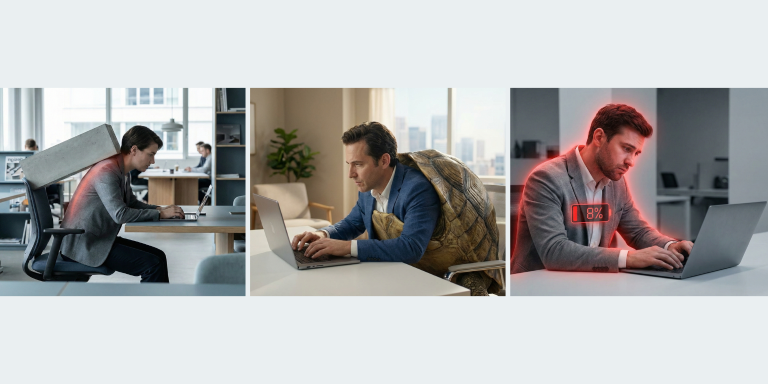
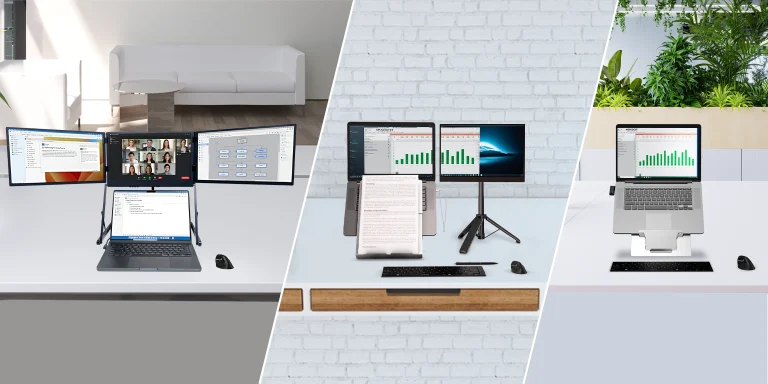
For many of us, work didn’t really begin again until a few weeks into the year. The inbox filled up, meetings returned, and routines quietly locked back into place. And then came the discomfort. A stiff neck before lunch. Tight shoulders by mid-afternoon. A dull ache in the lower back that wasn’t there over the holidays. This isn’t a motivation problem or a discipline issue. It’s often desk setup pain making itself known once work becomes repetitive again. The issue isn’t how hard you’re working. It’s how much your body is compensating while you work. Why Pain Shows Up Weeks Into Work Pain rarely appears immediately. At the start of the year, movement is higher and workdays feel lighter. Over time, the body starts to notice patterns. Long periods of sitting, minimal movement, and static postures create low-grade muscle fatigue. When your screen is slightly too low or your input devices are just out of reach, your neck, shoulders, and wrists quietly work overtime. That’s why desk setup pain often appears a few weeks in. The strain is subtle, cumulative, and easy to ignore—until it isn’t. Common Desk Setup Mistakes That Add Up This is where most discomfort begins. Not with dramatic errors, but with everyday compromises that feel harmless. Laptop Screen Sitting Too Low When a laptop sits directly on the desk, the screen drops well below eye level. The neck tilts forward slightly, then stays there for hours. That forward angle doesn’t feel extreme—but the neck isn’t designed to hold it all day. This is one of the most common causes of desk setup pain, especially for laptop-based work. Screen Positioned Too Far Away A screen that’s too far away invites leaning. The head moves forward, shoulders follow, and posture slowly collapses. This creeping forward motion often goes unnoticed because it happens gradually. By the end of the day, the upper back and neck feel the cost. Keyboard and Mouse Creating Shoulder Tension Cramped input devices pull the shoulders inward or upward. Over time, this creates constant tension through the neck and upper back. The hands may feel fine, but the shoulders stay engaged when they should be relaxed. This is a quiet contributor to long-term desk setup pain. Chair Offering Little Real Support Even a good chair can fail if it isn’t supporting the lower back properly. When support is missing, the spine does extra work just to stay upright. That effort accumulates, especially during long, uninterrupted work sessions. Small Fixes That Actually Work Fixing desk setup pain doesn’t require a complete office redesign. Raising the screen to eye level using a laptop stand like ETRA or Oryx evo D, can immediately reduce neck strain. Separating the keyboard and mouse from the laptop allows the shoulders to settle into a more natural position. Keeping reference materials at eye level helps prevent constant head turning, while small adjustments to desk layout reduce unnecessary reaching and tension. These changes work because they remove the need for your body to compensate. Less compensation means less fatigue—and more sustainable comfort. General Ergonomics Habits That Support Your Setup Even a well-designed setup benefits from supportive habits. Short, regular breaks help reset posture before tension builds. Light stretching keeps muscles from locking into one position. Staying hydrated and organising the desk so frequently used items remain within easy reach reduces unnecessary strain. Alternating between sitting and standing—even briefly—adds movement back into the workday, something the body responds to remarkably well. Closing Reflection Discomfort isn’t a failure. It’s feedback. When pain starts appearing a few weeks into the work routine, it’s often a sign that your setup needs support—not that you need to push through. Thoughtfully designed ergonomic tools help reduce everyday strain, improve posture, and support productivity across different work environments—whether you’re office-based, hybrid, or fully mobile. Ready to improve the way you work? Explore our Ergonomic Options

Read More »
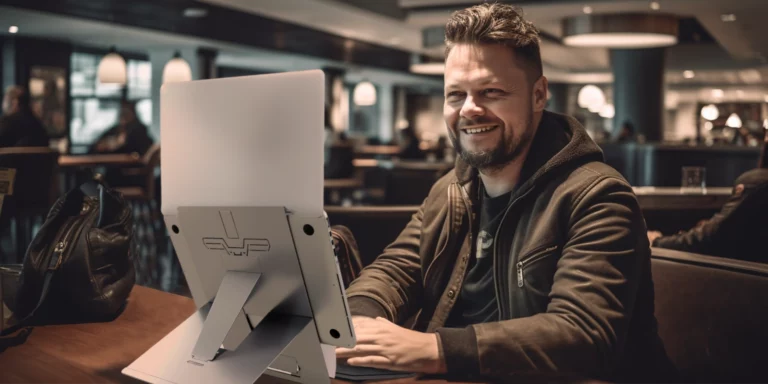
A smiling professional unboxing a Standivarius ETRA laptop stand as one of the best ergonomic gifts for work this holiday season.

Save the Mugs and Chocolate Boxes for Next Year — Try These Ergonomic Gifts for Work

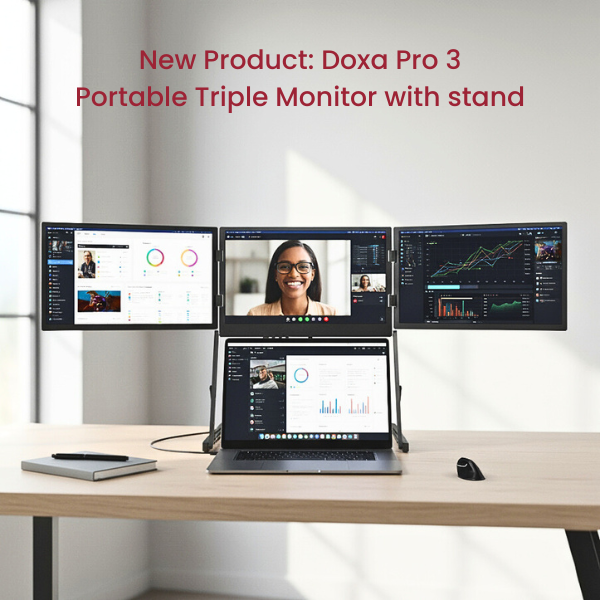
December gifting carries a certain charm — thoughtful gestures, shared appreciation, and small touches that brighten the end of the year. Mugs and chocolate boxes will always be welcome, but many people are now searching for ergonomic gifts for work that offer something more lasting. Better posture, clearer focus, comfort throughout the day — these are gifts that quietly improve someone’s routine long after the holidays end. Below are five meaningful ideas that make work feel lighter, healthier, and more productive. 1. A Gift of Portability Work happens everywhere now — offices, cafés, trains, meeting rooms, and airport lounges. Portable ergonomic tools help people build a comfortable setup wherever they go. A lightweight laptop stand or a compact travel keyboard, like the Oryx Evo D or Solo X, can slip into any bag and turn unpredictable spaces into functional workstations. For hybrid professionals, portable tools are some of the most practical ergonomic gifts for work, supporting comfort without adding weight or complexity. 2. A Gift of Better Posture Healthy posture transforms the way people feel at the end of a long day. Simple tools — a laptop stand that elevates the screen or a document holder that centralises reading materials — can create natural alignment without effort. Options such as ETRA or the Libro series encourage more upright, relaxed positioning that supports long-term wellbeing. Posture-focused items remain among the most valuable ergonomic gifts for work, especially for anyone spending hours at a desk. 3. A Gift of Real Productivity A smoother workflow is a gift that pays off every single day. More screen space, better viewing angles, and fewer tab switches all contribute to deeper focus and faster thinking. A portable multi-screen solution like the Doxa Pro 3 or a stable monitor stand such as X-Stand can help professionals work with greater clarity. These small upgrades create powerful ergonomic gifts for work, improving efficiency without adding complexity. 4. A Gift of Everyday Comfort Comfort isn’t decorative — it’s essential for sustainable work. Ergonomic mice and keyboards reduce strain on the hands and wrists, while angled stands help avoid neck and shoulder fatigue. Even subtle design improvements, like the sculpted form of the Hi! Mouse or the responsive feel of the Piano II BT, can make long hours noticeably easier. Useful, aesthetic, and supportive, comfort-focused tools are thoughtful ergonomic gifts for work that improve everyday wellbeing. 5. A Gift of Desk Clarity (and Mental Clarity) A tidy desk creates room to think. Tools that raise devices, organise documents, or free up physical space help create a workspace that feels intentional rather than cluttered. Minimalist solutions like Stand-Art or the UNO device riser bring order without overwhelming the desk. These simple, elegant upgrades make excellent ergonomic gifts for work, helping people start the new year with a clearer workspace — and a clearer mind. Closing Reflection The most meaningful gifts don’t just brighten a moment — they improve the moments that follow. Whether it’s posture, productivity, comfort, clarity, or the freedom to work anywhere, ergonomic tools offer everyday support that lasts long beyond December. This season, consider giving ergonomic gifts for work that genuinely make a difference. Ready to give something truly meaningful? Find Ergonomic Tools Here

Read More »
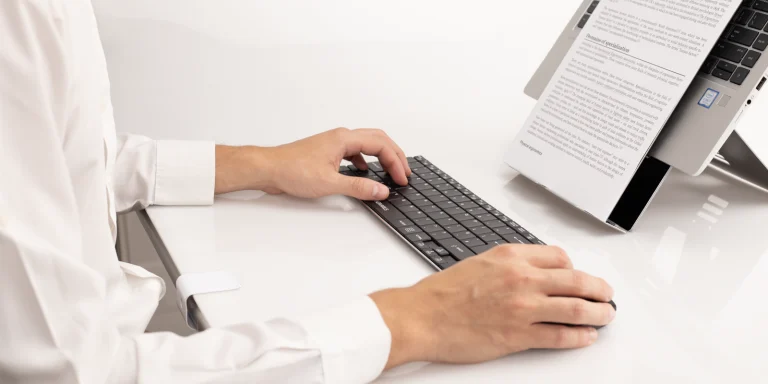
Hands typing comfortably on a compact external keyboard, reducing keyboard typing fatigue.

The Silent Strain: How Your Keyboard Impacts Daily Fatigue

Long hours on a laptop keyboard can lead to tension, discomfort, and keyboard typing fatigue. Find out how switching to a compact external keyboard can ease physical strain, improve hand positioning, and help you work more comfortably wherever you are.   Why Your Keyboard Might Be Wearing You Out It’s easy to overlook your keyboard until your body reminds you. If you’ve ever wrapped up a workday with aching wrists, stiff shoulders, or lingering hand fatigue, your typing setup could be to blame. Most people associate ergonomics with chairs and desks, but the keyboard is one of the most-used tools in your workspace and it plays a big role in how your body feels at the end of the day.   Understanding Keystroke Ergonomics The way we type matters. Traditional laptop keyboards are often cramped and force your hands into awkward positions. Over time, this contributes to keyboard typing fatigue – a subtle, persistent strain that builds up through poor wrist angles, repetitive finger movements, and excessive force required to press keys.   Keystroke ergonomics refers to the science of how typing affects your body: Key travel and resistance: Shallow, stiff keys can tire your fingers faster. Keyboard width and spacing: Wide layouts force your shoulders outward, creating tension. Wrist alignment: Flat, fixed keyboards can push wrists into unnatural angles. These small factors accumulate over hours of work, leading to discomfort you may not even connect to your keyboard.   A Compact Solution Designed for Closer, More Comfortable Typing One overlooked benefit of a compact keyboard is how it changes your mouse position. With its compact design, your hands stay closer together, meaning you don’t need to overreach to use the mouse. This simple shift can significantly reduce tension in your shoulder, forearm, and wrist throughout the day. How Solo X helps reduce keyboard typing fatigue: No wasted width – it keeps your hands in a narrower, more natural position Shorter distance to the mouse – less strain on your dominant arm Low-profile keys – less force required, helping reduce finger fatigue The Solo X doesn’t just feel better—it’s made to work better for you: Dual connectivity via Bluetooth or a 2.4GHz nano receiver lets you choose how you want to connect—ideal for switching between devices or working in different environments. Ultra-slim and rechargeable, it slips easily into your laptop bag without adding weight. Magnetic tilt strip offers angle adjustment so you can tweak wrist posture based on your setup. Whether you’re working from home, in a shared office, or from a café, the Solo X gives you the flexibility to type in comfort.   Small Changes, Big Relief If you’re feeling tense or tired after typing, don’t ignore it. Fatigue from your keyboard setup is subtle but real. Upgrading to a compact external keyboard like the Solo X is a simple change that supports long-term comfort and productivity. Ready to feel the difference one small device can make? The Solo X supports healthier typing without sacrificing mobility or ease of use. Try the Solo X and take the pressure off your hands, wherever you work.

Read More »
Health and Wellbeing at Work Trade Show at Birmingham last March 2025 focusing on topics about ergonomics for workplace wellbeing

The Workplace Stress Fix: How Ergonomics Can Improve Mental & Physical Well-Being

Workplace stress is a growing concern, and often, its root cause is closer than we think—our daily work setup. Poor ergonomics can lead to discomfort, fatigue, and ultimately, a decline in both physical and mental well-being. At this year’s Health & Wellbeing at Work trade show in Birmingham—one of the UK’s leading events dedicated to workplace health—the spotlight was firmly on ergonomics. Industry experts gathered to explore how small but meaningful changes to the physical work environment can drastically reduce stress levels. While we didn’t exhibit, the event provided timely insight that aligns with our mission: providing solutions to people to work more comfortably and healthily through quality ergonomic tools. 1. How Poor Ergonomics Contributes to Stress Many stress-related issues begin with physical discomfort. Sitting too long, craning your neck toward a low screen, or typing at awkward angles builds tension over time. The result? Sore muscles, mental fatigue, and reduced focus. Sessions at the trade show echoed this reality. Industry professionals highlighted how chronic pain and poor posture not only affect productivity but also increase stress levels—both physically and emotionally. When our bodies are strained, it becomes harder to stay calm, clear-headed, and engaged at work. That’s why ergonomics for workplace well-being was a recurring theme across the sessions. 2. Ergonomic Fixes for a Healthier Workday The upside is that stress from poor ergonomics is avoidable. With a few mindful changes, you can create a setup that supports both comfort and productivity. Improve Posture Start by adjusting your workstation. Keep your screen at eye level and your chair at a height that allows your feet to rest flat on the floor. Your back should be supported, and your wrists should be neutral while typing. Use the Right Tools Ergonomic tools make maintaining proper posture easier. A laptop stand like the Oryx Evo D raises your screen to a healthier height. Pair it with an external keyboard like the Solo X and an ergonomic mouse such as the AVE /’a:vei/ to encourage a more natural position for your arms and hands. These accessories are designed with ergonomics for workplace well-being in mind, making them ideal for both office and hybrid work environments. Keep Moving Sitting for long periods can increase stiffness and reduce energy. Make movement part of your day—stand up regularly, stretch between tasks, and change positions when possible. This was a key takeaway from the trade show: promoting movement is essential to any ergonomic approach. 3. The Long-Term Benefits of an Ergonomic Workspace The benefits of improving ergonomics go beyond immediate comfort. When your body is supported, your mind functions better too. Less strain means less tension, clearer thinking, and greater ability to focus. Over time, this leads to reduced stress, improved mood, and better performance. From an organisational standpoint, ergonomics for workplace well-being leads to tangible results. Healthier employees take fewer sick days, feel more engaged, and perform better overall. As shared during the Birmingham event, investing in ergonomic solutions is a simple yet effective way to boost team health and morale. Prioritising Well-Being with Ergonomics Ergonomics may seem like a small detail, but it can make a significant difference to how we feel and function at work. As underlined at the Health & Wellbeing at Work trade show, prioritising ergonomics for workplace well-being is a smart step toward healthier, happier teams. Whether you’re at the office or working remotely, small changes—like using a laptop stand, adjusting your chair, or taking breaks to move—can help reduce stress and support long-term well-being. At Standivarius, we believe comfort and performance go hand in hand. Our ergonomic tools are designed to make that possible—wherever work happens.

Read More »
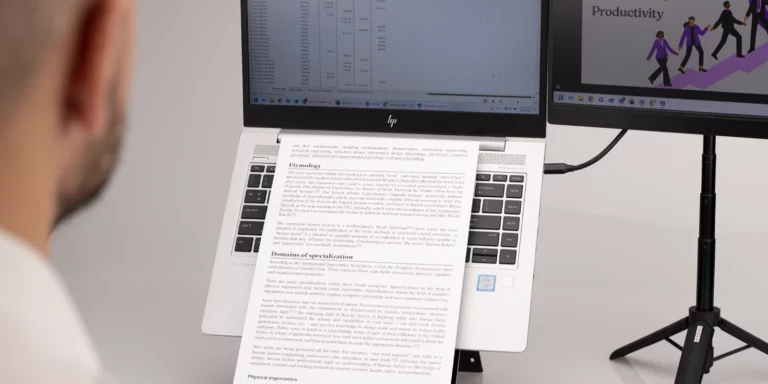
A professional using a dual monitor setup with a portable monitor on the X-Stand, enhancing productivity.

Single vs. Dual Monitors: Is the Upgrade Worth It?

In today’s hybrid and mobile work environment, professionals need a versatile, ergonomic setup that enhances productivity without compromising portability. While dual monitor setups are often associated with fixed office desks, mobile workers and hybrid professionals can also benefit from a dual-screen workflow on the go. But is upgrading to a dual portable monitor setup truly worth it? Let’s explore the pros and cons of single vs. dual monitors for mobile professionals and how the right ergonomic tools—like the X-Stand—can make a difference. The Case for a Single Monitor A single laptop screen is often the default choice for mobile workers. Here’s why some professionals stick to it: ✔ Fewer Distractions: A single screen naturally limits multitasking, helping maintain focus. ✔ Simplified Setup: No extra cables, stands, or connectivity concerns. ✔ Battery-Friendly: Running one screen conserves laptop power, extending battery life. When a Single Monitor Works Best: Quick work sessions in cafés, coworking spaces, or during travel, where carrying extra equipment isn’t convenient. Tasks that don’t require constant reference to multiple documents or applications, such as writing, email management, or browsing Consumes less power than a dual-screen setup and works well in tight spaces like small desks or airplane tray tables. The Benefits of a Dual Monitor Setup (On the Go) A dual monitor setup isn’t just for static office desks. With the right portable gear, it can enhance efficiency for mobile and hybrid professionals: ✔ Increased Productivity: Studies show that a second screen can boost productivity by 42%—ideal for multitasking, research, and cross-referencing.✔ Better Workflow Management: Keep email or communication apps on one screen while focusing on primary tasks on the other.✔ Enhanced Ergonomics: Reduces the need to switch between tabs, helping prevent eye strain and neck discomfort.✔ Seamless Hybrid Work: Whether at home, in a shared office, or traveling, a portable dual-screen setup provides consistency. Best Use Cases for a Portable Dual Monitor Setup: Hybrid workers who move between home and office. Digital professionals (designers, analysts, marketers) who need extra screen space. IT & remote support teams managing multiple dashboards or troubleshooting. How to Build a Portable Dual Monitor Setup For a successful dual-screen mobile office, you need a lightweight, ergonomic stand to support your second screen. The X-Stand is designed for professionals who need a compact, ergonomic, and foldable solution for their laptop + second screen setup. 🔹 Adjustable for the Perfect Viewing Angle – Prevents back and neck strain.🔹 Supports Tablets & Portable Monitors – Ideal for a lightweight (max. weight of 1.5 kg) second screen.🔹 Ultra-Compact & Foldable – Easily fits into any laptop bag. With the X-Stand, you can enjoy the benefits of dual monitors without sacrificing portability. Final Verdict: Is the Upgrade Worth It? If you need better productivity and a seamless hybrid setup, a portable dual-screen solution is a game changer. A lightweight, ergonomic second-screen solution—like the X-Stand—ensures comfort and efficiency anywhere you work. Would you make the switch to dual monitors for mobile work?

Read More »
The Ergonomic Holiday Guide: Travel Smart and Work Comfortably This Festive Season

The Ergonomic Holiday Guide: Travel Smart and Work Comfortably This Festive Season

The holiday season is a time to unwind, reconnect with loved ones, and enjoy festive cheer. However, for many professionals, the season doesn’t always mean a full break from work or travel. Whether you’re catching up on tasks during a train ride, working remotely from a family member’s home, or simply trying to stay comfortable while traveling, overlooking ergonomics can lead to unnecessary discomfort and strain. With the right tools and a few simple adjustments, you can maintain comfort and productivity no matter where the holidays take you. Here’s how to ensure your body stays supported, your posture remains healthy, and your work setup is optimized throughout the festive season. 1. Pack Portable Ergonomic Tools Traveling often means working on-the-go or adapting to unfamiliar setups. Compact tools like the Oryx Evo D Laptop Stand are essential for elevating your screen to eye level, reducing neck strain. Pair it with the Solo X Wireless Keyboard and AVE /’a:vei/ Wireless Ergonomic Mouse to maintain a neutral wrist position, whether you’re at the airport lounge or a family dining table. For more extended setups, adding the X-Stand as a secondary screen solution can help expand your workspace. These tools are lightweight, making them easy to pack and carry wherever the holidays take you. 2. Create an Ergonomic Workspace Anywhere Temporary workstations are often less than ideal, but small adjustments can turn them into comfortable, productive spaces. Start by elevating your laptop with a portable stand, and if the available chair lacks lumbar support, use a cushion or folded towel to improve alignment. If you’ll be working for extended periods, position your screen at eye level and your keyboard at a height that allows your wrists to stay straight. This reduces strain on your neck, shoulders, and wrists while keeping your posture in check. 3. Prioritize Movement and Stretching Sitting for long periods, whether while traveling or working, can lead to stiffness and discomfort. Schedule breaks to stand, stretch, or walk around every hour. Simple stretches for your neck, shoulders, and lower back can help relieve tension and improve circulation. Even short movements—like rolling your shoulders or gently twisting your torso—can counteract the effects of prolonged sitting. Incorporating these into your routine will help you feel more refreshed and less fatigued throughout the day. 4. Stay Comfortable During Downtime Holiday relaxation often involves scrolling through tablets, watching movies, or joining virtual gatherings. However, hunching over devices can strain your neck and shoulders. Use Oryx Pro, KickStand (for MS Surface Pro), or similar tools to prop your device at eye level, even during leisure activities. If lounging, ensure you maintain a supported position for your back and neck. Adding a cushion behind your lower back and using a lap desk can make even the most casual settings ergonomically friendly. 5. Gift Ergonomics This Holiday Season As you prioritize your own comfort, consider how ergonomic tools could make meaningful gifts for friends and family. Thoughtful, practical, and health-focused, items like the Oryx Evo D or Solo X Keyboard are perfect for anyone who values comfort and productivity—whether they work remotely or spend hours studying. Wrap Up Your Holidays with Standivarius This holiday season, prioritize comfort and well-being wherever your plans take you. With Standivarius’ ergonomic tools, you can feel supported and productive no matter the setting. Explore our range of solutions, including laptop stands, keyboards, and mice, to stay comfortable and stress-free this festive season. Discover more at standivarius.com and make this holiday ergonomic and memorable!

Read More »

Preparing for Winter: How to Create a Cosy, Ergonomic Workspace at Home

With winter setting in, many in the UK are spending more time indoors, including for work. For those working from home, colder months bring a new set of challenges: staying warm, comfortable, and focused. Creating a workspace that balances coziness with ergonomic support can make all the difference, helping you feel more relaxed and productive, even on those long winter afternoons. Here’s a guide to setting up a cozy, ergonomic workspace at home that can make winter feel more inviting: 1. Warm Lighting for a Cosy Atmosphere Natural daylight hours are limited in winter, so lighting is essential for creating a pleasant, motivating environment. Try to place your desk near a window to get as much natural light as possible. In the morning, aim for whiter, cooler light to energise you. As the day goes on and the light starts to fade, switch to warmer lighting to create a relaxed, cosy atmosphere. Adding a warm, adjustable desk lamp or a light with a soft, warm hue can help maintain this inviting feel, while avoiding screen glare that can strain your eyes. 2. Comfortable and Ergonomic Seating An ergonomic chair is essential for any home office, especially during colder months when you might feel tempted to work from the sofa or bed. Chairs with adjustable height, armrests, and lumbar support encourage good posture and prevent strain, especially on colder days when muscles can feel tighter. Adding a supportive cushion can enhance comfort and keep you sitting upright. The Standivarius WFH Cushion is an ergonomic seat cushion that provides extra support, encouraging a more natural posture. This cushion is designed to relieve pressure on the lower back, making it a great addition to any chair, especially for longer winter workdays. 3. Elevate Your Screen to Reduce Strain Working at the right screen height is crucial to avoid neck and back strain. Many people hunch over laptops, which worsens when bundled up in winter layers. Consider using a laptop stand like the Standivarius Oryx evo D, designed to lift your screen to eye level, making it easier to sit upright. This is especially helpful if you’re multitasking with video calls or creative work. The Oryx evo D is lightweight and portable, so you can easily move it around if you prefer working in different rooms to stay comfortable. 4. Keep Your Hands and Wrists Warm with Ergonomic Accessories Cold hands can be challenging in winter, especially if your workspace is in a chilly room. Cold can cause us to tense up, which may lead to stiff wrists and fingers. Using a supportive, ergonomic keyboard like the Standivarius Solo X can keep your wrists aligned and comfortable, minimizing strain even with extra layers. The Solo X is wireless and rechargeable, giving you flexibility to move around without the clutter of cables. Pair it with an ergonomic mouse, like the Standivarius AVE /’a:vei/, which supports a more natural wrist position. Both accessories can reduce strain on your hands and wrists while keeping your workspace tidy and organized, adding to the cosy feel. 5. Take Breaks and Stretch Regularly Finally, regular movement is essential for any ergonomic setup. In winter, it’s easy to stay glued to our desks to avoid the cold, but taking a few moments to stretch, get a warm drink, or walk around the house can improve circulation and reduce fatigue. Setting a timer to remind yourself to stand, stretch, or even step outside briefly for fresh air can be helpful. Making Winter Workspaces Cosy and Supportive Creating a cozy, ergonomic workspace at home isn’t just about comfort—it’s about supporting your body and mind, especially during the colder months. With the right setup, you can reduce strain, stay focused, and feel more comfortable while working from home. Explore ergonomic products like the Oryx evo D and Solo X on our website. With a few adjustments and personal touches, you can set yourself up for a cosy, productive winter.

Read More »
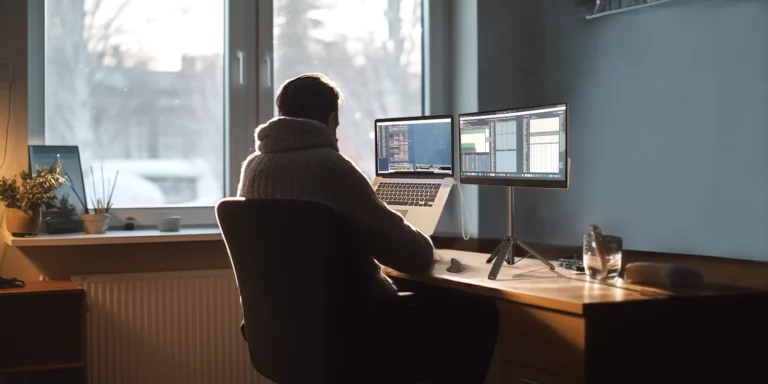
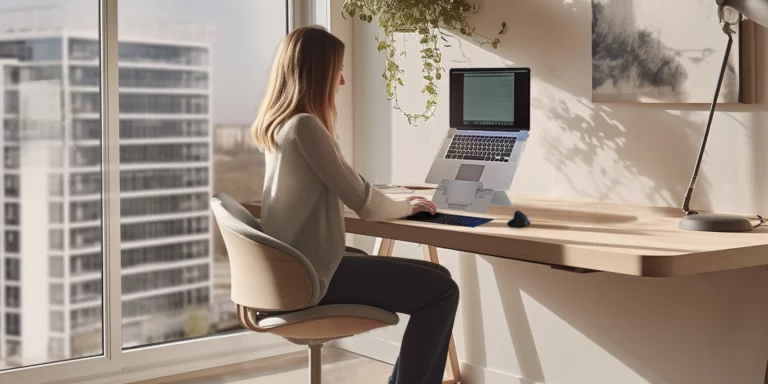
a bright, modern office or home workspace with soft natural light filtering in, showing shorter daylight outside, with professional seated comfortably at their desk and looking relaxed having a complete ergonomic setup.

Dealing with Shorter Days: How Ergonomics Can Keep You Energized at Work

As October rolls in, the days get shorter, the sun sets earlier, and we often feel the impact on our energy levels. Whether it’s the darker mornings or the early evenings, it’s not unusual to experience a drop in productivity during this time of year. But despite these seasonal changes, staying energized at work is possible—and one of the best ways to do that is by optimizing your workspace with ergonomic tools designed to support your physical well-being throughout the day. Here’s how ergonomic tools can help you stay energized during the seasonal shift: 1. Start with the Right Posture Slouching in your chair or hunching over your laptop can make you feel sluggish. Poor posture places unnecessary strain on your muscles, leading to discomfort and even headaches—none of which helps you stay productive. To maintain energy, you need to sit upright, with your feet flat on the ground and your back supported. One way to encourage good posture is by using ergonomic stands for your laptop or monitor. The Standivarius Oryx Pro, for instance, raises your laptop to eye level, reducing neck strain and encouraging a healthier posture. When you’re sitting comfortably and your screen is at the right height, you’ll notice an improvement in both your focus and energy. 2. Keep Your Workspace Flexible October’s gloomy days can also tempt you to switch up your working position throughout the day, perhaps shifting from sitting to standing or moving between different rooms. Flexibility in your workspace can help maintain your energy levels by keeping you physically active and mentally refreshed. Portable ergonomic solutions, offered by Standivarius, like the Oryx evo D, offer this flexibility. Lightweight and easy to carry, it lets you adjust your laptop’s height wherever you go, whether you’re sitting at a desk or working from the sofa. This adjustability can help reduce strain on your back, wrists, and shoulders, allowing you to work comfortably for longer stretches of time. 3. Reduce Strain on Your Hands and Wrists With more tasks to complete and less daylight to keep you alert, it’s easy to overwork your hands and wrists during long hours of typing. To prevent strain and maintain focus, ergonomic keyboards and mice are essential. The Solo X compact wireless keyboard offers a sleek design that’s perfect for professionals who need portability. It’s rechargeable, making it both convenient and eco-friendly, and its compact size allows for comfortable typing without cramping your workspace. Pairing the Solo X with an ergonomic mouse like the AVE /’a:vei/ can further reduce strain. The AVE /’a:vei/ mouse is wireless and designed to fit naturally in your hand, reducing the risk of repetitive strain injuries that can slow you down. Together, these tools can help ensure that your hands and wrists are supported, so you can stay productive and comfortable throughout the day. 4. Manage Light and Brightness With less natural light during the autumn months, you might rely more on artificial lighting. However, poor lighting conditions can lead to eye strain, making you feel tired and unmotivated. To avoid this, ensure your workspace is well-lit but not too bright. Soft, natural lighting that doesn’t create glare on your screen will help reduce eye strain. Ergonomic document holders can also come in handy here. Standivarius offers a range of options that keep documents at eye level, so you’re not constantly shifting your focus between paper and screen. This can help you maintain your concentration and reduce the strain on your eyes. 5. Stay Energized with Movement One of the keys to staying energized throughout the workday is movement. Sitting for extended periods can make you feel sluggish, but small changes in your posture or brief stretches can make a big difference. Ergonomic tools such as laptop stands encourage movement by making it easier to adjust your workstation as needed. Small movements, such as adjusting your seat height or your laptop screen, also help keep your body active, reducing the feeling of tiredness that often comes with sitting still for too long. Ergonomics as a Solution for Seasonal Change As we adjust to shorter days in October, it’s important to consider how our working environment can affect our energy levels. Standivarius offers ergonomic solutions in a practical way to stay comfortable and focused, even when the natural daylight starts to fade earlier. By integrating ergonomic tools into your daily routine, you can maintain your energy and stay productive, despite the seasonal changes. With the right setup, you’ll find it easier to focus, stay comfortable, and keep your energy up all day long.

Read More »
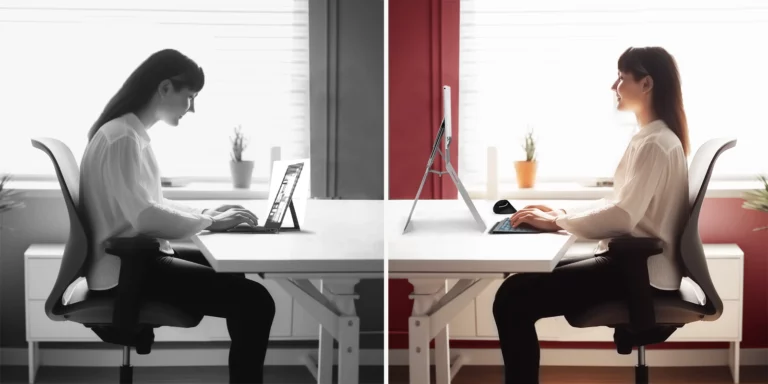
A before and after image of a professional working, highlighting the impact of ergonomic upgrades, showing the difference between a poorly set up workspace and one that's been enhanced.

Back to Work: Solve Common Workspace Issues with Ergonomic Upgrades

As summer fades and we transition back to work, many professionals are once again facing the same discomforts and productivity challenges they dealt with before the break. Whether you’re working from home or moving between locations, neglecting proper ergonomics can lead to long-term health issues like back pain, neck strain, and repetitive stress injuries. Upgrading your workspace is essential for maintaining your well-being and productivity. By addressing issues like poor posture, limited space, or discomfort, ergonomic tools provide lasting solutions for a healthier and more efficient work environment. The Problem with Poor Posture and Makeshift Workspaces Many professionals spend long hours working on laptops in environments that aren’t designed for productivity. Kitchen tables, low desks, and dining chairs often cause poor posture, leading to back, neck, and wrist pain. Over time, these discomforts can reduce focus and energy, making even simple tasks feel draining. Solution: Products like the Oryx Evo D offer an all-in-one ergonomic solution. By elevating your laptop to eye level, it helps improve posture and reduces strain on your neck and back. Its built-in document holder ensures that all your papers are at a comfortable viewing height, preventing the need to constantly look down and reducing distractions in your workspace.   Challenges with Surface Pro: Viewing Angles and Typing Efficiency Surface Pro users often face specific challenges, from awkward typing positions to the difficulty of achieving the perfect viewing angle. Without the right support, this can lead to neck strain, reduced typing comfort, and decreased productivity, especially when working for long hours or switching between workspaces. Solution: The KickStand and Freedom are a perfect duo for Surface Pro users seeking better ergonomics and productivity. The KickStand provides adjustable viewing angles to help position the Surface Pro at an optimal height for typing or viewing. Meanwhile, the Freedom keyboard offers a more comfortable typing experience, with the flexibility of Bluetooth connectivity and magnetic attachment for ease of use. Together, these products allow Surface Pro users to work comfortably, no matter where they set up.   Strain from Heavy Mouse Usage For those working long hours in front of a screen, a standard mouse can lead to hand and wrist strain over time. Traditional designs often fail to provide the support needed for prolonged use, which can result in discomfort, fatigue, and even repetitive strain injuries (RSIs). *add link Solution: The AVE /’a:vei/ offers an ergonomic design that fits comfortably in your hand, helping to reduce the risk of strain injuries. Its wireless functionality allows you to move freely while working, ensuring that your wrist remains in a more natural position. This can greatly improve comfort and help avoid the strain associated with long-term mouse use.   Cluttered Workspace Affecting Focus and Efficiency An unorganized workspace can have a direct impact on productivity. When your desk is cluttered with unnecessary items, wires, or oversized equipment, it can create a chaotic environment that makes it harder to focus. Constantly searching for the tools you need or dealing with limited space can lead to frustration and wasted time. Solution: The Solo #pad keyboard is designed to bring both functionality and organization to your desk. With its compact layout and integrated number pad, it provides all the essential features of a full-sized keyboard without taking up extra space. The wireless connectivity eliminates the need for tangled cables, helping keep your workspace clean and tidy. By reducing clutter, the Solo #pad allows for a more efficient, focused, and stress-free work environment.   Getting Started with Ergonomics For many professionals, the importance of ergonomics only becomes clear after experiencing discomfort. Whether it’s neck strain, lower back pain, or wrist fatigue, these issues often arise from poor workstation setups. The good news is that improving ergonomics doesn’t have to be complicated. Solution: The Ergo-Know-Me is an excellent introduction to ergonomic tools. Its compact, portable design helps elevate your laptop to a more comfortable viewing position, reducing the need to hunch over and easing neck and shoulder strain. This makes it a great first step for professionals who want to gradually improve their workspace without overhauling their entire setup.   Returning to work after the summer provides a great opportunity to solve common workspace challenges and make long-term improvements. Whether it’s reducing neck strain, improving posture, or maximizing small spaces, ergonomic tools like laptop stands, mice, and keyboards can address these issues directly. Invest in solutions that boost comfort and productivity for a smoother, healthier workday.

Read More »
Scroll to Top