
Uncategorized

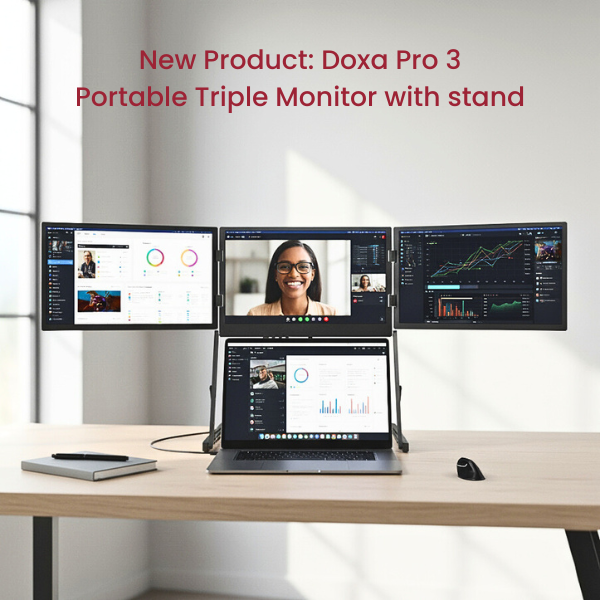
Doxa Pro 3: Risk-Free Trial for 10 Days

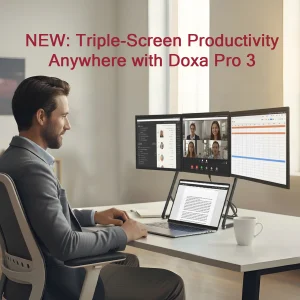
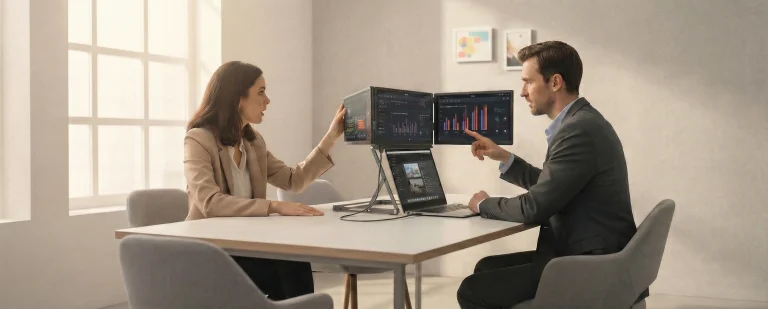
Evaluating ergonomic products has always been a challenge—especially when those products sit at a higher price point and promise measurable changes to the way people work. Brochures, specifications, and product images can explain what a solution is, but they rarely show what it does in a real working day. This is particularly true for portable multi-screen setups. Until someone experiences reduced screen switching, improved posture, and smoother workflows firsthand, it’s difficult to fully understand the impact. That’s why we created the Doxa Pro 3 sample programme. The programme offers a 10-day, risk-free trial of Doxa Pro 3, allowing partners to test the solution in real working environments before making any commercial commitment. Why Hands-On Testing Matters in Ergonomics Modern work is increasingly laptop-based, mobile, and hybrid. While flexibility has improved, screen limitations remain one of the most common productivity challenges. Constant window switching, cramped viewing areas, and compromised posture are still part of many daily setups. Portable multi-screen solutions aim to address these issues, but they are best understood through use. Factors such as screen positioning, desk footprint, workflow efficiency, and user comfort only become clear over time. For dealers, ergonomic professionals, and IT teams, this creates a familiar dilemma: customers want confidence, and confidence comes from experience. What Is the Doxa Pro 3 Sample Programme? The Doxa Pro 3 sample programme offers a 10-day, risk-free trial of Doxa Pro 3. Partners can test the solution in real working environments before making any commercial commitment. During this period, the product can be tested on real desks, by real users, and within everyday workflows. There is no upfront investment and no obligation to purchase. After the trial, partners can decide whether Doxa Pro 3 is right for their market—and if they choose to proceed, the product can be purchased at a very low trade price. How the Sample Programme Works The process is intentionally simple. Apply for a sample, receive Doxa Pro 3, and use it in real work scenarios for 10 days. This allows time to gather practical feedback, observe usage patterns, and understand how the solution performs across different roles and tasks through the Doxa Pro 3 sample programme. At the end of the trial, you decide whether to move forward—based on experience, not assumptions. What You’ll Learn During the Trial Hands-on use often reveals benefits that are difficult to communicate through specifications alone. Users typically experience less screen switching, which helps maintain focus and reduce cognitive load. With screens positioned at an ergonomic height, posture naturally improves, supporting healthier working habits. Workflows also become more efficient, particularly for tasks that require comparing documents, managing multiple applications, or working across several data sources at once. Who the Programme Is For The Doxa Pro 3 sample programme is designed for office product dealers, ergonomic assessors, IT teams, and decision-makers who want confidence before committing to a portable multi-screen solution. It is especially relevant for those exploring new ergonomic categories or assessing demand without the risk of upfront stock investment. Experience First. Decide Second. Better ergonomic decisions are made through real use, not guesswork. The Doxa Pro 3 sample programme gives you the opportunity to test Doxa Pro 3 in everyday working conditions—and decide what makes sense for your market afterward. Test Doxa Pro 3 for 10 Days — No Upfront Cost Evaluate demand and demonstrate it to your market before deciding on stock. Apply for the Doxa Sample Programme
Read More »

Document and Book Holders: Unsung Heroes In The Workspace

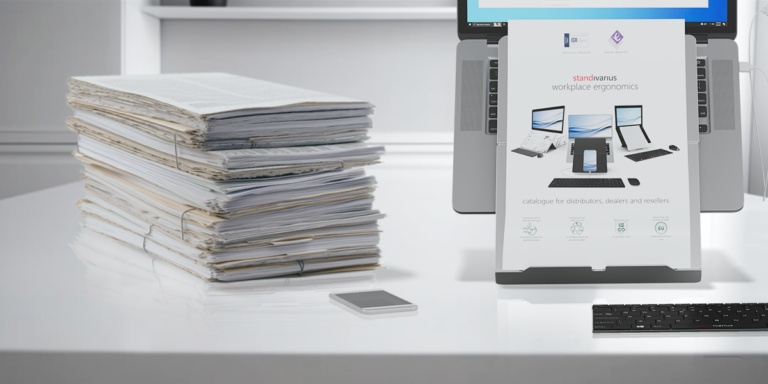
Despite being the most overlooked ergonomic tools in modern workplaces, there is still room for document and book holders even in today’s fast-paced digital work environment. After all, not all tasks require exclusive use of electronic devices such as laptops, with physical documents still playing a vital role in day-to-day work. If you’re one of those who reference books and physical documents such as spreadsheets or reports, is discomfort and constant neck and back pain a constant in your daily work routine? For Ergonomics… Numerous studies have shown that not utilising ergonomic laptop stands significantly increases the risk of musculoskeletal disorders. The same applies to not using document and book holders. With holders raising work documents to eye level, the need for constant neck and back movements are greatly reduced, thereby decreasing the pain involved in repeatedly looking down on reference materials and back up at the screen. …and A Boost In Productivity and Multitasking Aside from the proven and tested ergonomic benefits, document and book holders are not just crucial tools that promotes proper posture. The holders are also integral for an efficient workflow. These ergonomic solutions are effective aids in multitasking, productivity, and efficiency especially in situations that require paperwork and books for data entry or for cross-referencing information. For instance, with the reference material in line with a laptop or computer screen, there’s less valuable time spent looking up and down the screen and the material. This improves the work experience by allowing for a quicker and more accurate data input. Document and book holders, additionally, minimises desk clutter. With the reading materials propped up by holders, valuable desk real estate is freed up, thus aiding in a cleaner and more organized workspace. With hybrid workspaces now being the norm and working in cafes and co-working spaces being part of our work culture, the document and book holder must be thin and light enough for everyday carry. Whether the holder accompanies a laptop in a backpack during daily commute, or in a messenger bag along with books, its mobility is important. The Standivarius’ Libro Series All our Standivarius ergonomic solutions are designed not only with mobility in mind, but also with adaptability, durability, and ease of use. The Libro series are no exception. With its 3 variants, the Libro series ticks all the boxes for a hassle-free experience. The Libro B is the portable ergonomic solution for users who require referencing and transcribing books for work. With its 3 height adjustments and a surface that accommodates books up to A4 size in horizontal orientation, it provides users with the proper ergonomic position that ensures the optimal comfort and the efficiency that are beneficial in daily tasks. It also makes for a stunning book stand for casual reading. For larger documents, there’s the Libro H portable document and book holder. Its A3-sized surface width can accommodate larger papers and spreadsheets. With the Libro H’s 5 height adjustment levels, it matches all height and angle requirements for a comfortable and productive multitasking experience. It’s not just for physical documents as it can also be used for tablets – a bonus. The last on the Libro series is the Libro K A4 foldaway stand is designed for reading or referencing documents in a vertical orientation. The stand also features a low angle setting for writing and tablet use for maximum efficiency. Integrated for Comfort and Multitasking And for even more efficiency, the Standivarius Etra premium laptop stand, as well as the stands on our Oryx Evo series, features an in-line document holder that’s integrated into the stand. These holders ensure that any documents that you’re referencing are in line with the laptop’s screen, allowing for an even better productivity and multitasking experience. Depending on your needs, a document and book holder or a laptop stand with a built-in holder can undoubtedly enhance your workflow to its full potential. With the right ergonomic tools significantly reducing neck and back pain, you can spend longer hours being productive and efficient in work. And with the right solutions, multitasking and work proficiency comes naturally.

Read More »
Scroll to Top